Meet PAY.APP: PAY within reach
Paying is an essential part of every business. But for merchants, a good payment solution is about more than just processing transactions. Information needs to be available quickly, processes need to stay clear, and you want to be able to easily gain insight into what's happening within your payment environment.
With the PAY.APP, PAY brings that experience to mobile. You can download the PAY.APP in the app stores. Scan the QR codes below or click one of the buttons below to go to the right app store.
.png?width=197&height=197&name=adobe-express-qr-code%20(2).png)
.png?width=197&height=197&name=adobe-express-qr-code%20(3).png)


The PAY.APP works on:
-
iOS version 18 or higher
- Android version 8 or higher
PAY, even when you're on the go
PAY.APP was developed to bring merchants closer to their payment environment in an accessible way. The app complements PAY's existing services and makes important information easier to access from your smartphone.
This makes PAY.APP part of a broader development in which ease of use and self-service are becoming increasingly important. A payment platform should not only function reliably and securely, but also be intuitive for the people who work with it every day.
Insight without unnecessary complexity
As a merchant, you want to be able to quickly see what's happening within your business. You don't always want to have to sit behind a computer or navigate through different systems to do so.
PAY.APP was designed with that principle in mind: making relevant information accessible in an environment suited for mobile use. This makes it easier to stay involved with your payment activities while on the go
To log in to the PAY.APP, you need an account with an active merchant agreement — see Registering and Onboarding for more information.
What can you do in the PAY.APP?
Insight into your revenue & payouts
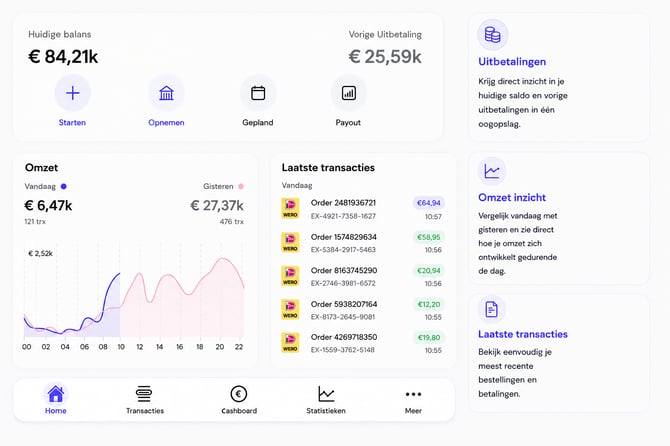
Under Statistics you get insight into the performance of your payments. Easily view your revenue and payment results over different periods and discover how they develop.
You also get insight into Clearing & Settlements, so you can see how your transactions are processed and which amounts are paid out to you. This gives you a clear overview, in one place, of your revenue, processing, and payouts.
Viewing, editing & refunding transactions
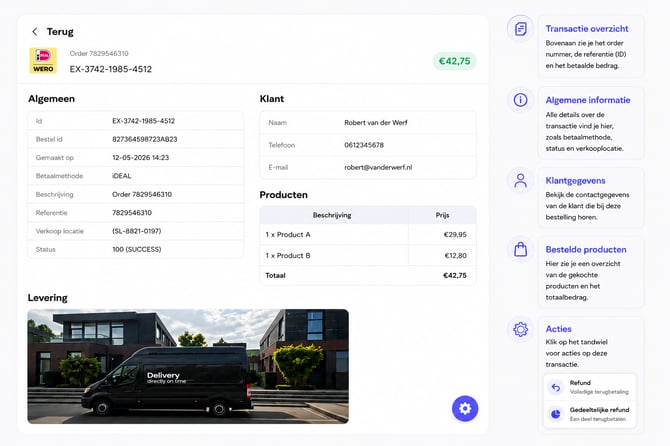
Under Transactions you'll find an overview of all your transactions. You can easily search for a specific transaction, view the details, and, where possible, directly perform actions on a transaction, such as refunding or approving it.
For each transaction, you can see all relevant information at a glance, such as payment details, customer details, and products. This gives you a quick, complete picture of every payment.
In-Person card payments & payment links
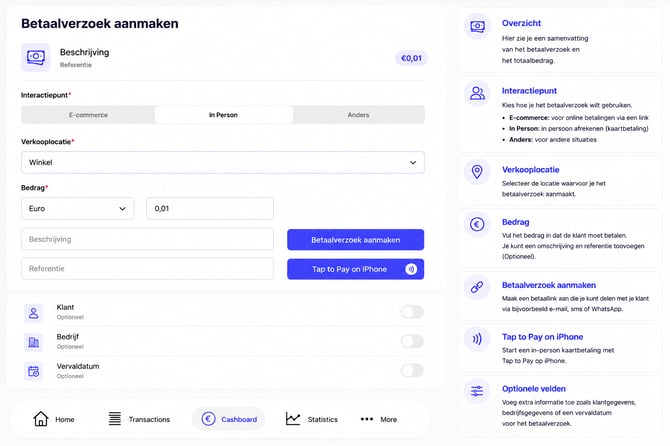
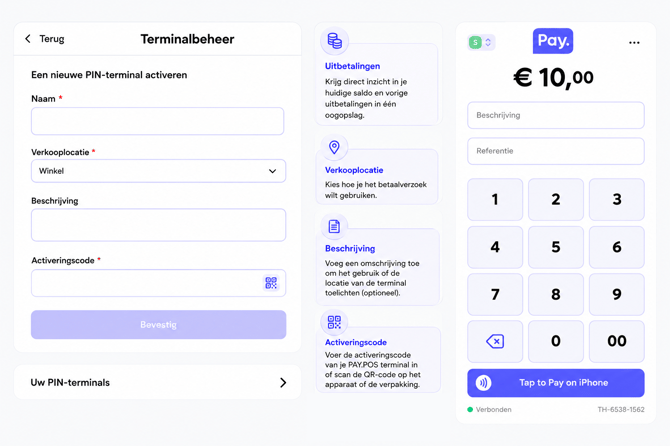
Create payment requests and share them via WhatsApp or email, or have them paid directly with an in-person card payment (for example, via Tap to Pay on iPhone).
Managing terminals and activating new PAY.POS terminals
In the PAY.APP, you can easily manage your payment terminals and activate new PAY.POS terminals. To do this, go to Meer / More and then select Terminal Management. Here you'll find an overview of your terminals and can quickly activate new terminals.
Reading news & insight into platform status
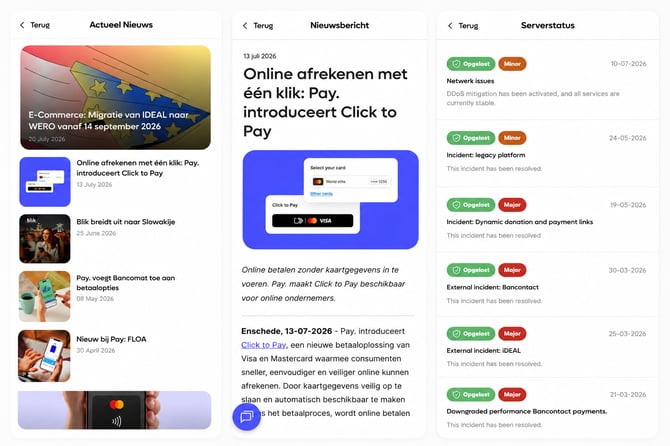
In the PAY.APP, you can easily stay up to date on the latest developments within PAY. Here you'll find the most recent PAY. news, important updates, and current information about the status of PAY.'s services. This way, you always have quick insight into what's happening and are immediately informed of any changes or disruptions.