
If you have not yet configured an Access Code, you will be prompted to create one before you can access the terminal settings.
Enable POS ModeFollow the steps shown in the image below:
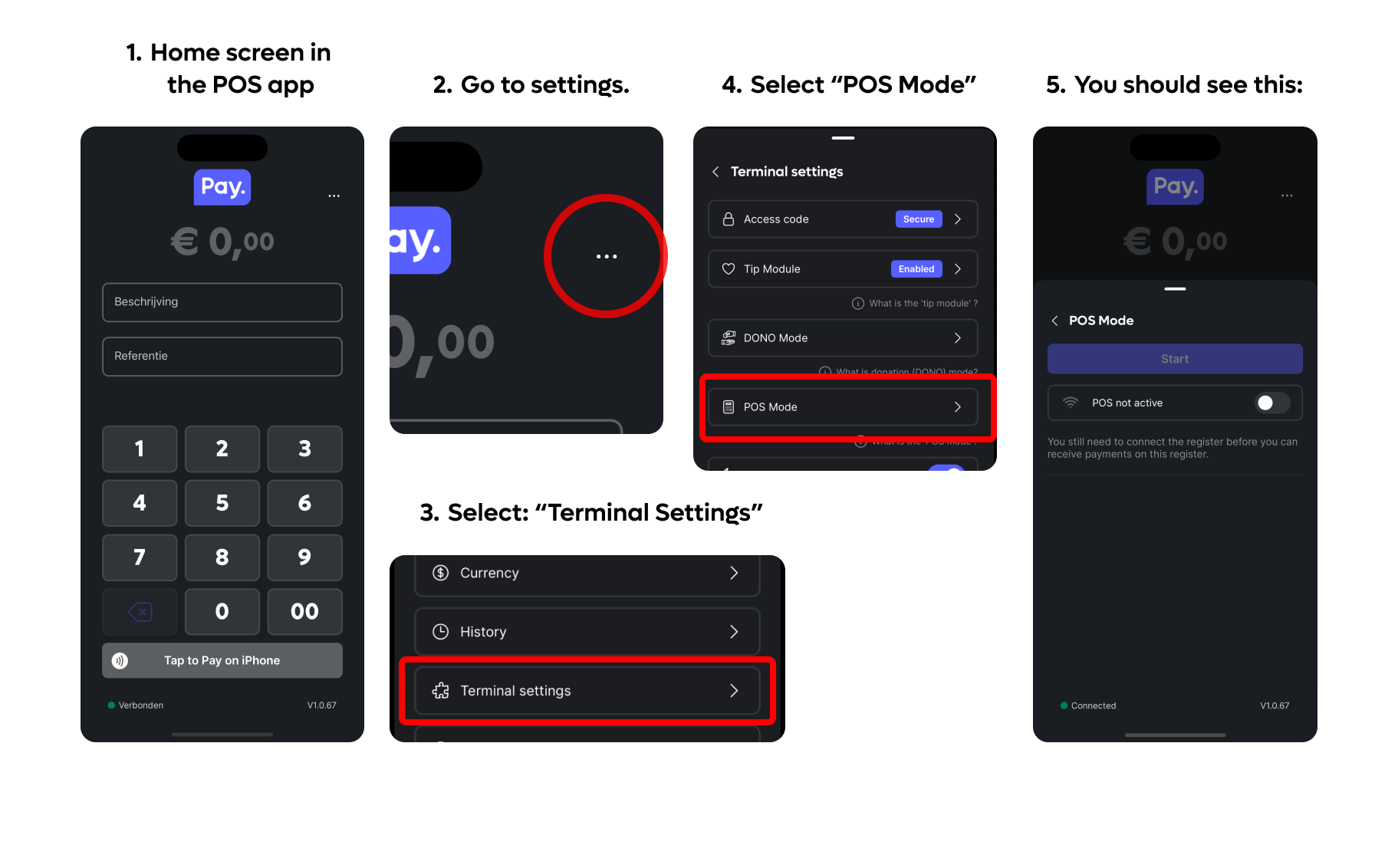
- Open the PAY.POS app.
- Tap the three dots (⋯) in the top-right corner.
- Select Terminal Settings.
- Tap POS Mode.
- Enable the connection type required for your integration:
- Cloud Connect – For cloud-based POS integrations.
- Local Connect (Local ECR) – For integrations over your local network.
Once enabled, your terminal is ready to receive payment requests from your POS system.