
Creating a connection
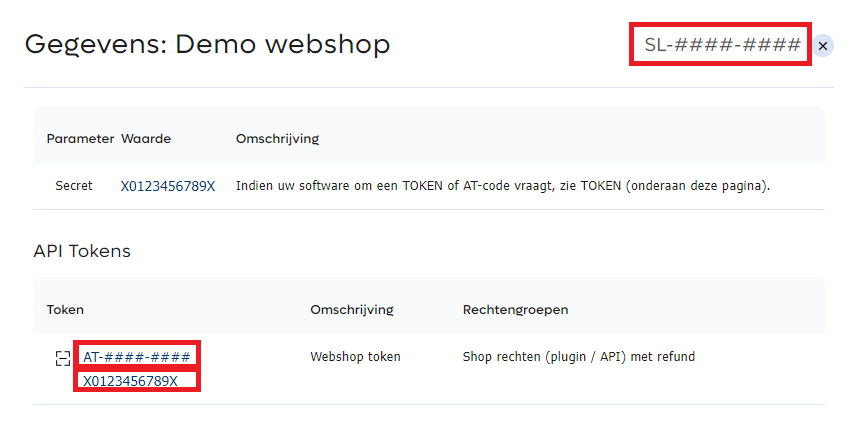
To create a connection via a plugin or hosted solution between your webshop / sales location and the PAY. platform, you need to enter a TOKEN-CODE ( AT-####-#### ) , API token ( 81xxxxxxxxxxxb00xxx8e970213c68axxxxxxx54 )
and a service-ID ( SL-####-##### ). You can find this information as follows:
- In the Admin Panel, go to the tab Sales locations https://my.pay.nl/programs/programs/.
- Here you will find an overview of your sales locations. If you have not yet created a sales location, you will find more information here.
- Select the sales location with which you want to create the connection by clicking on the service-ID (SL code) or on the ''Details'' link.
- A pop-up will open showing the Token Code, the API token and service-ID of the relevant sales location.
Older plugins sometimes require a ''program-ID'', a ''website-ID'', and a ''website location-ID''. These values can also be found in the pop-up with the sales location details.